For people who work with Claude

Pin it.
Your Claude
does it.

A calm command center in your pocket. Pin a note or say it in chat; your own Claude, on your PC, a VM or a server, picks it up, does the work and posts back. You see what is running, what is done and what waits for you, and you give the OK.

iOS and Android · in internal testing now

A day with Ops

Your work runs all day. You only step in where it matters.

Six moments from an ordinary day, on the real app.

  1. Morning glance

    One look, before the coffee cools.

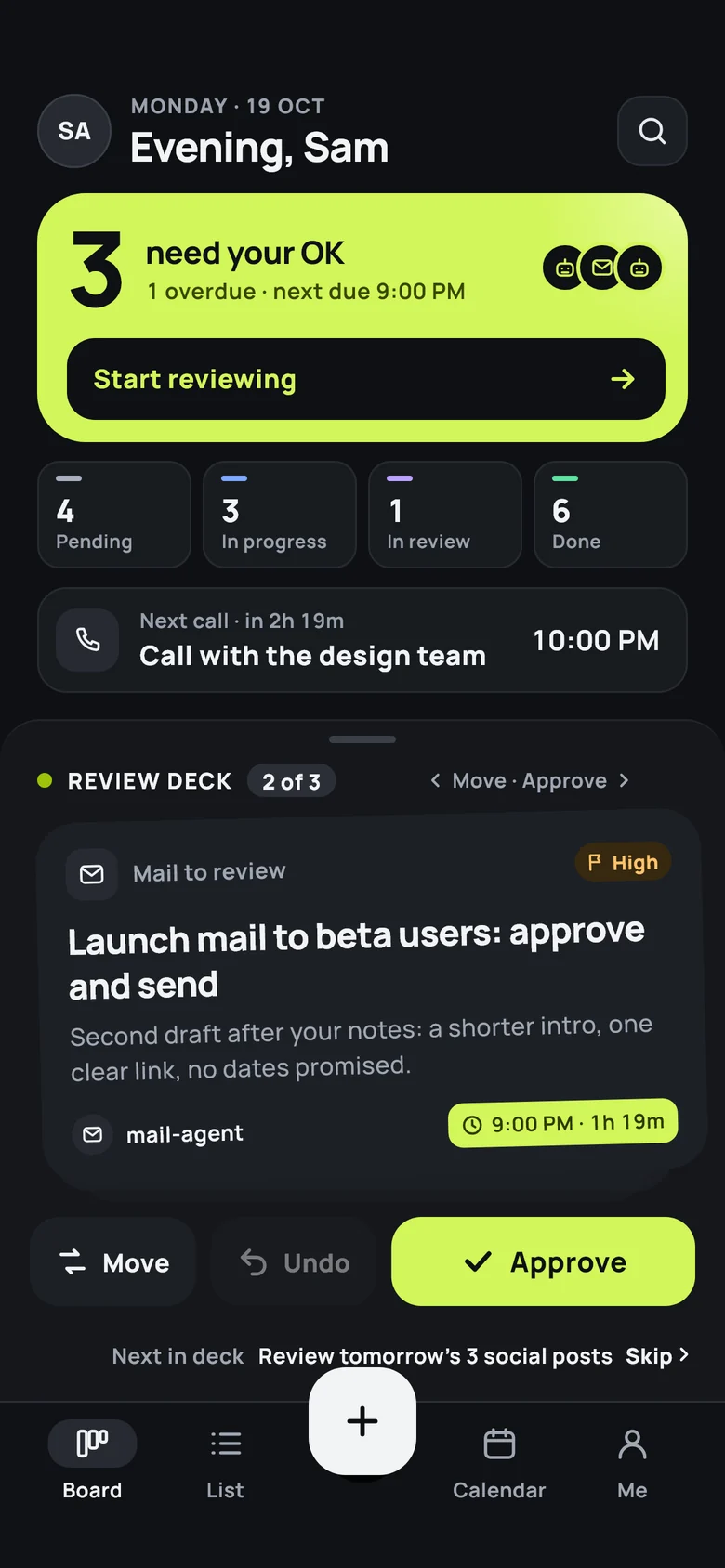
    The lime spotlight says how many things wait for your OK, what is overdue and what is next. Below it: what is pending, in progress, in review and done.

    Ops home screen in dark mode: 3 need your OK, counts for pending, in progress, in review and done, and the next call.
  2. Pin on the go

    Between two meetings, pin a note.

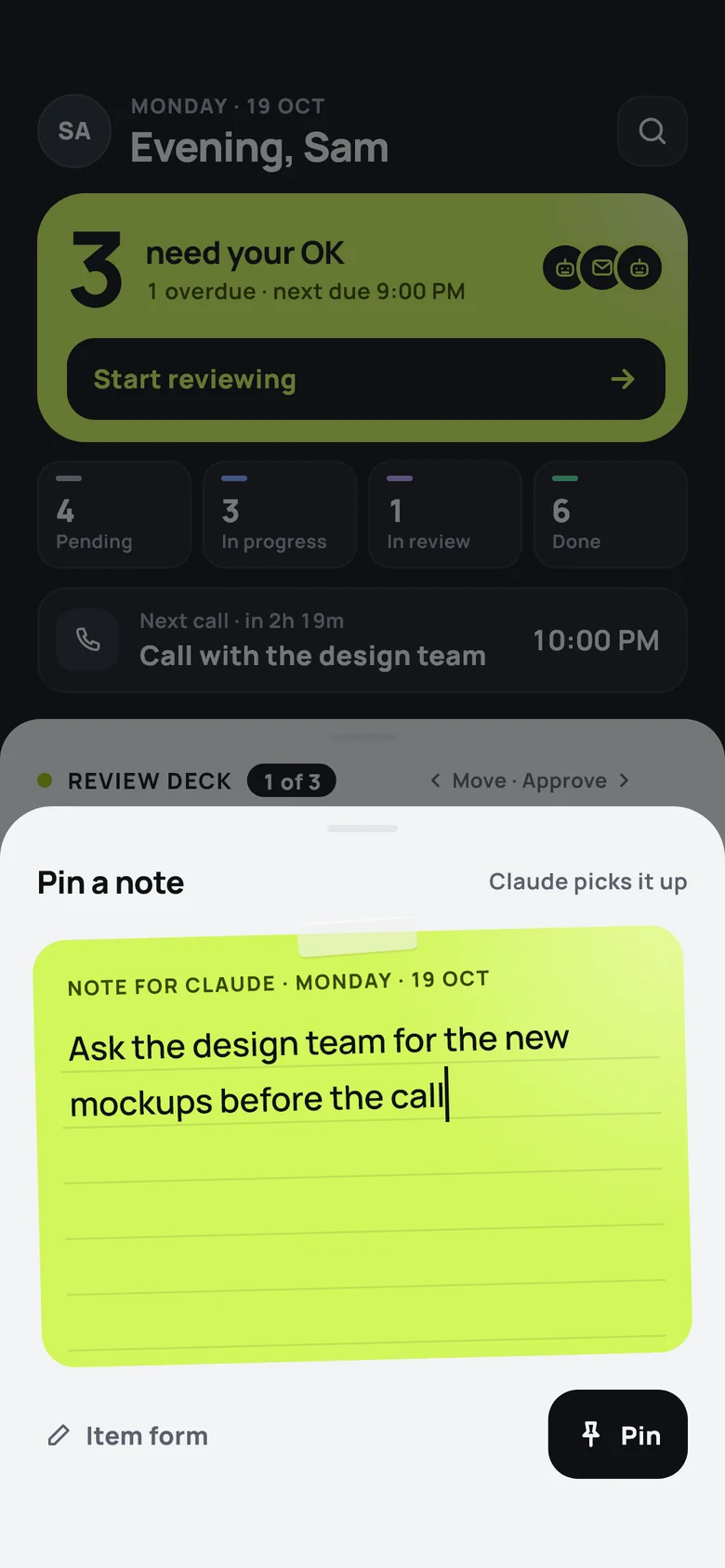
    Tap +, write it like a sticky note, tap Pin. No form, no fields. It lands on your board for your Claude.

    The Pin a note sheet: a lime notepad that reads 'Ask the design team for the new mockups before the call', with a Pin button.
  3. Claude picks it up

    Your Claude takes it from there.

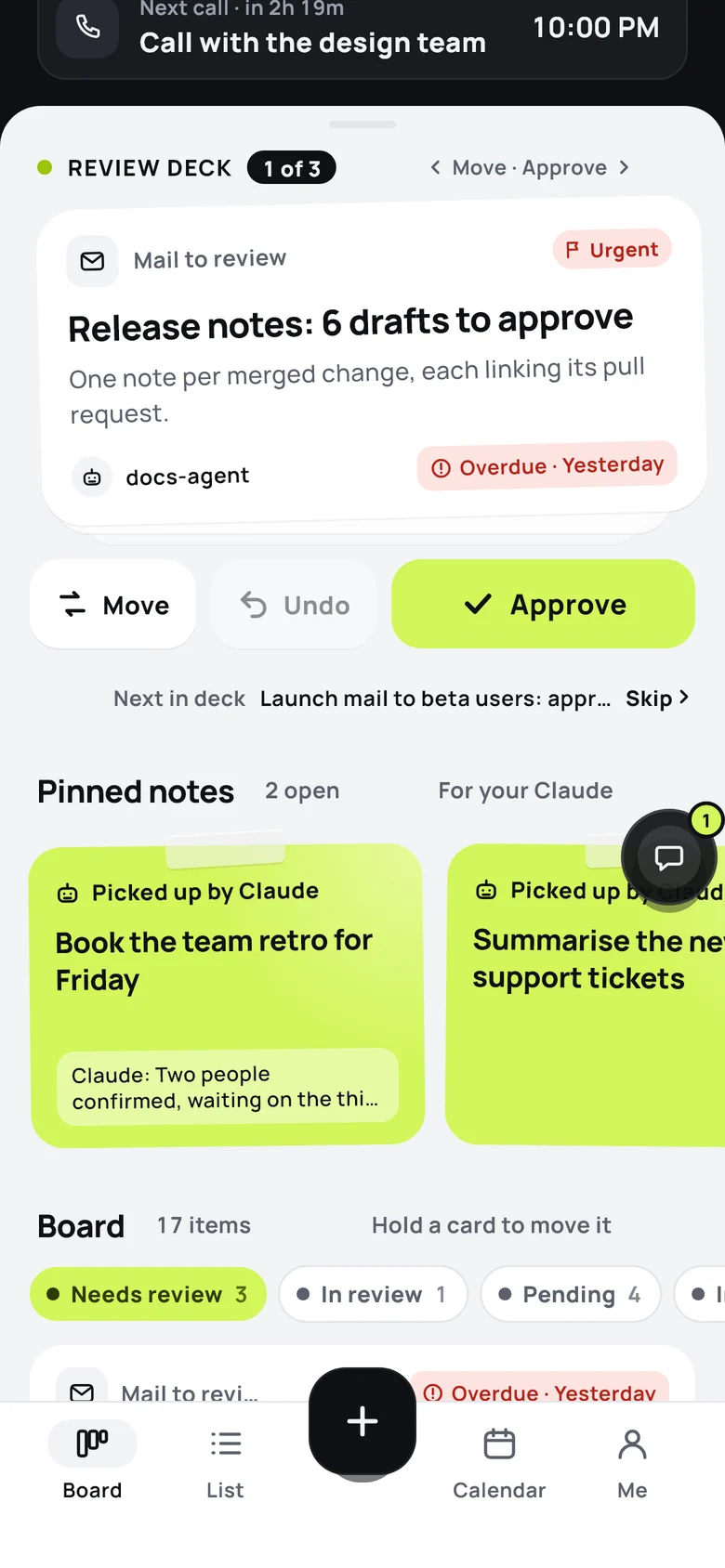
    Your own Claude, watching from your PC, a VM or a server, picks the note up, says so on the card and starts, with your tools and your accounts. Updates come back as notices on the note.

    Pinned notes on the board marked 'Picked up by Claude', one with Claude's update: two people confirmed, waiting on the third.
  4. Ask from anywhere

    A question? Tap the bubble.

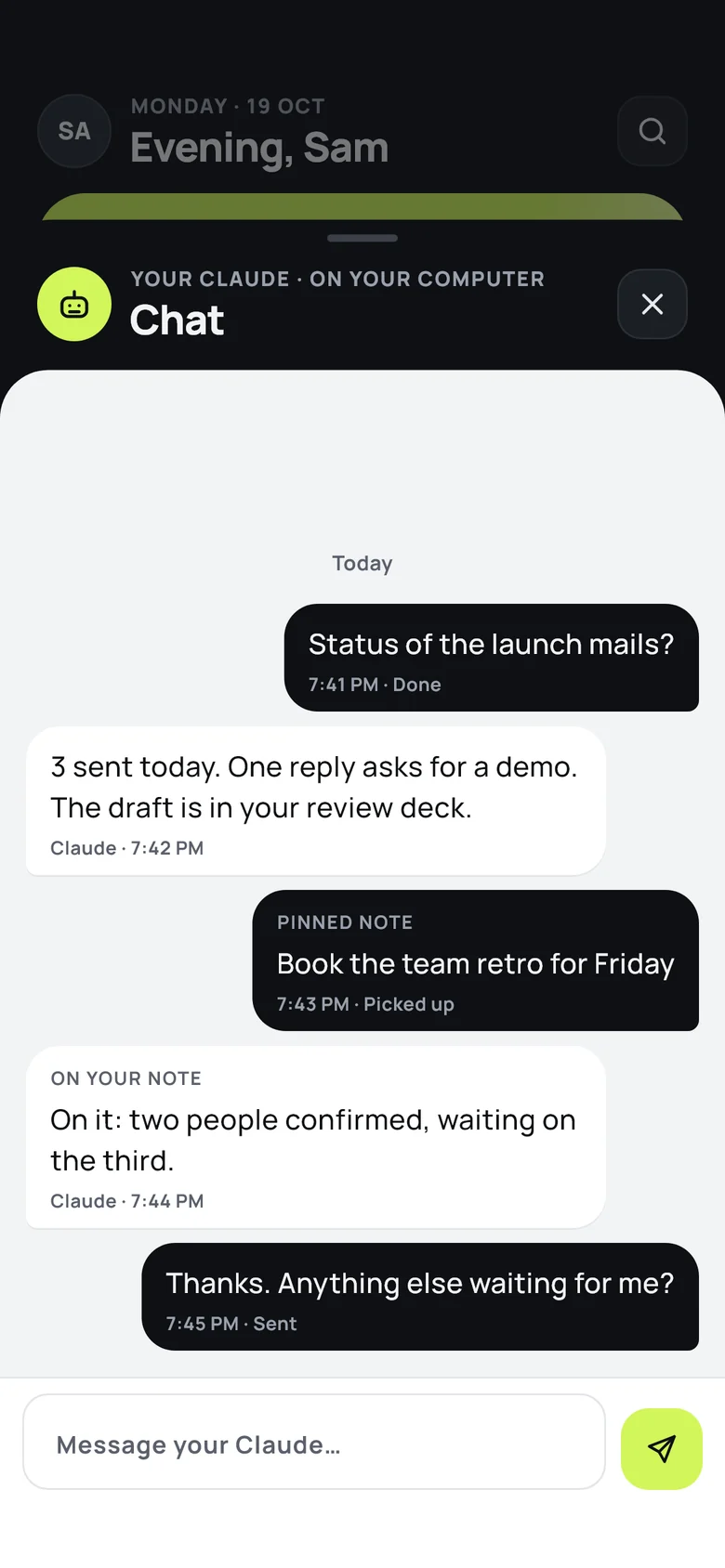
    A small chat bubble floats over the board. Ask your Claude how things stand and get the answer in the app, where the work is.

    The chat sheet with your Claude: a status question, Claude's answer, a pinned note and its progress update.
  5. Review

    Drafts wait for you, not the other way round.

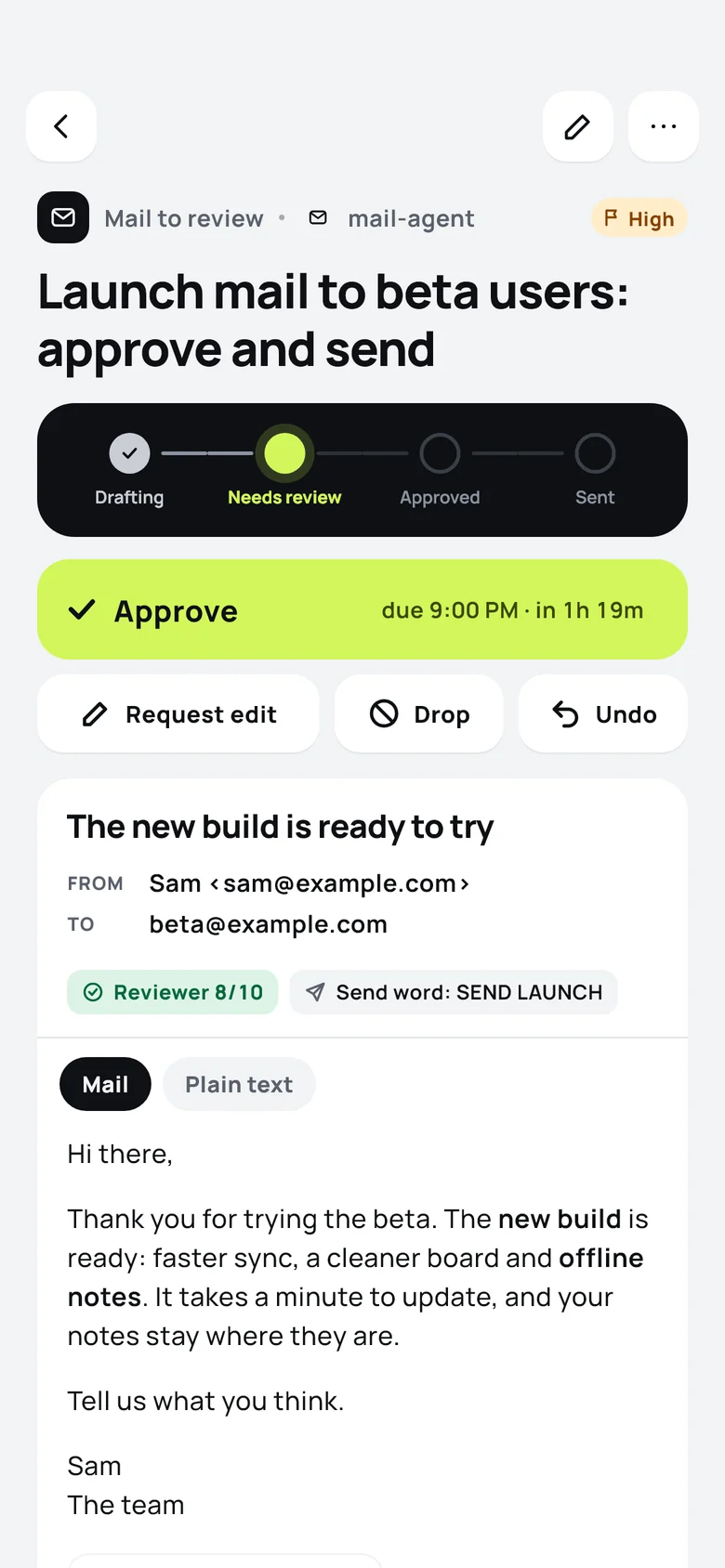
    Anything that needs a human waits in your review deck, shown the way the other side will see it. Approve it, or ask for an edit with a note.

    A mail waiting for review: status stepper at Needs review, a lime Approve button with the due time, Request edit, Drop and Undo, and the mail as the recipient sees it.
  6. Done, with a trail

    Close the day with every change on record.

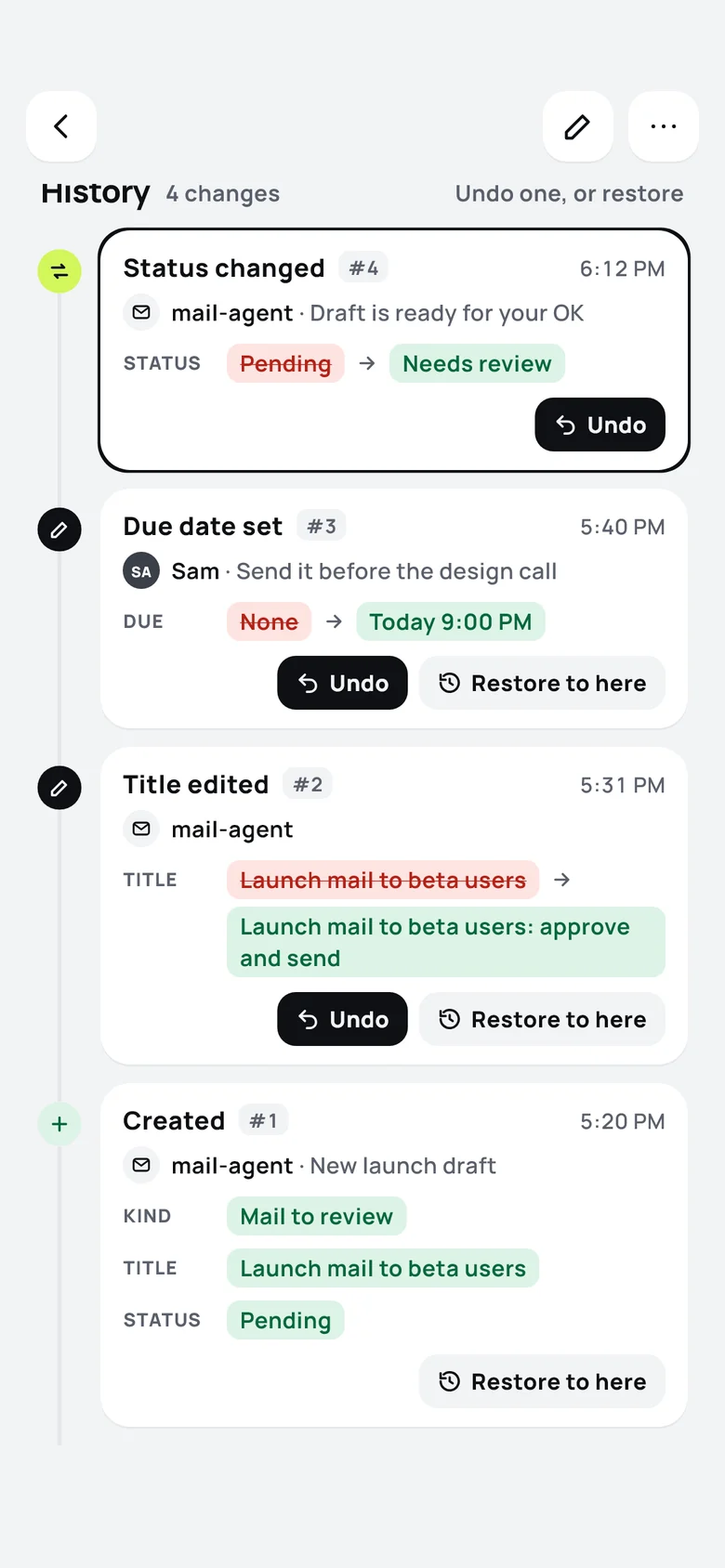
    Each change keeps its before and after. Undo one step, or restore an item to any point in its history. Nothing is lost, and you can see who changed what.

    An item's history: status changed, due date set, title edited and created, each with before and after values and Undo or Restore to here.
What's inside

Small on purpose. Every screen earns its place.

A board for everything your Claude is doing, and one bright place for what needs you.

The review deck

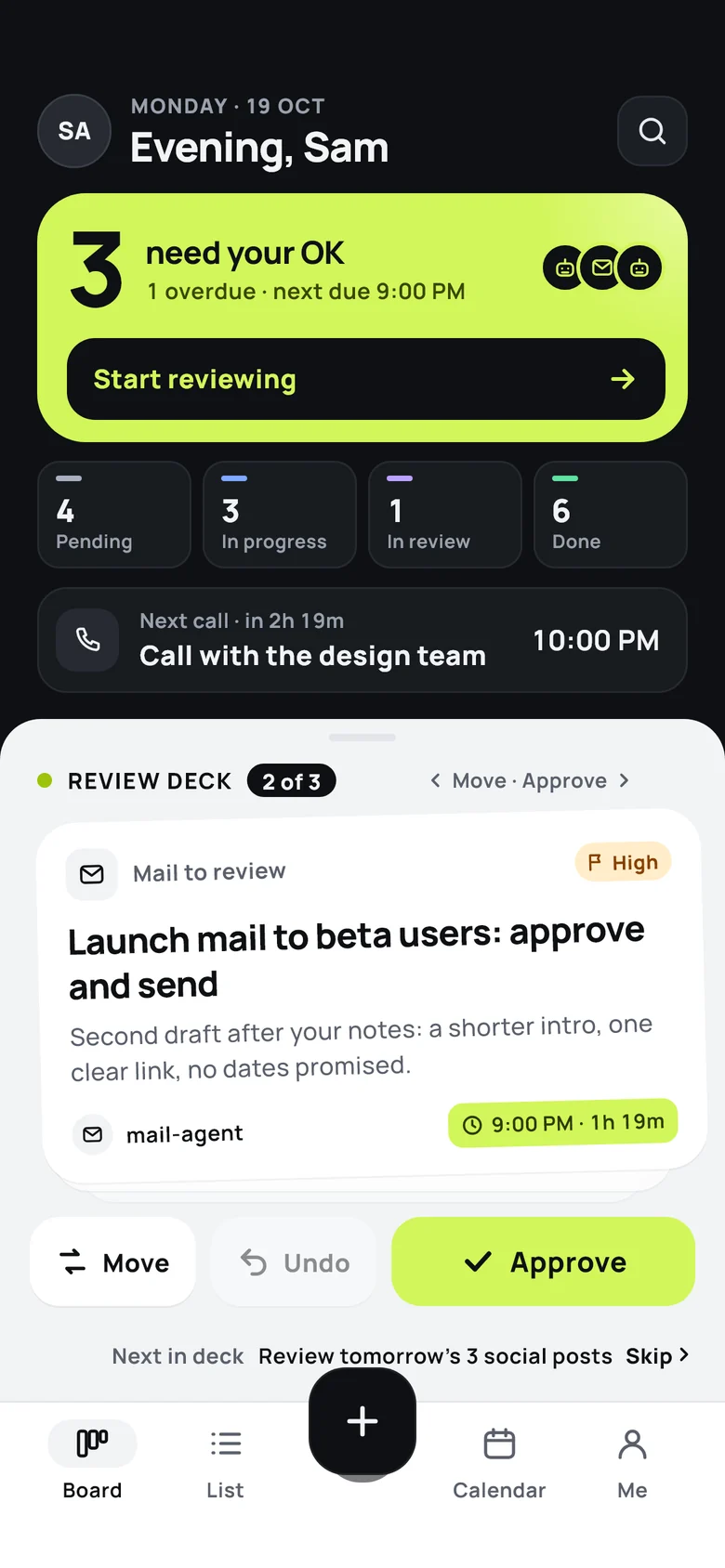
Swipe right to approve, left to move it on. Undo is one tap away. Skip what can wait and come back to it.
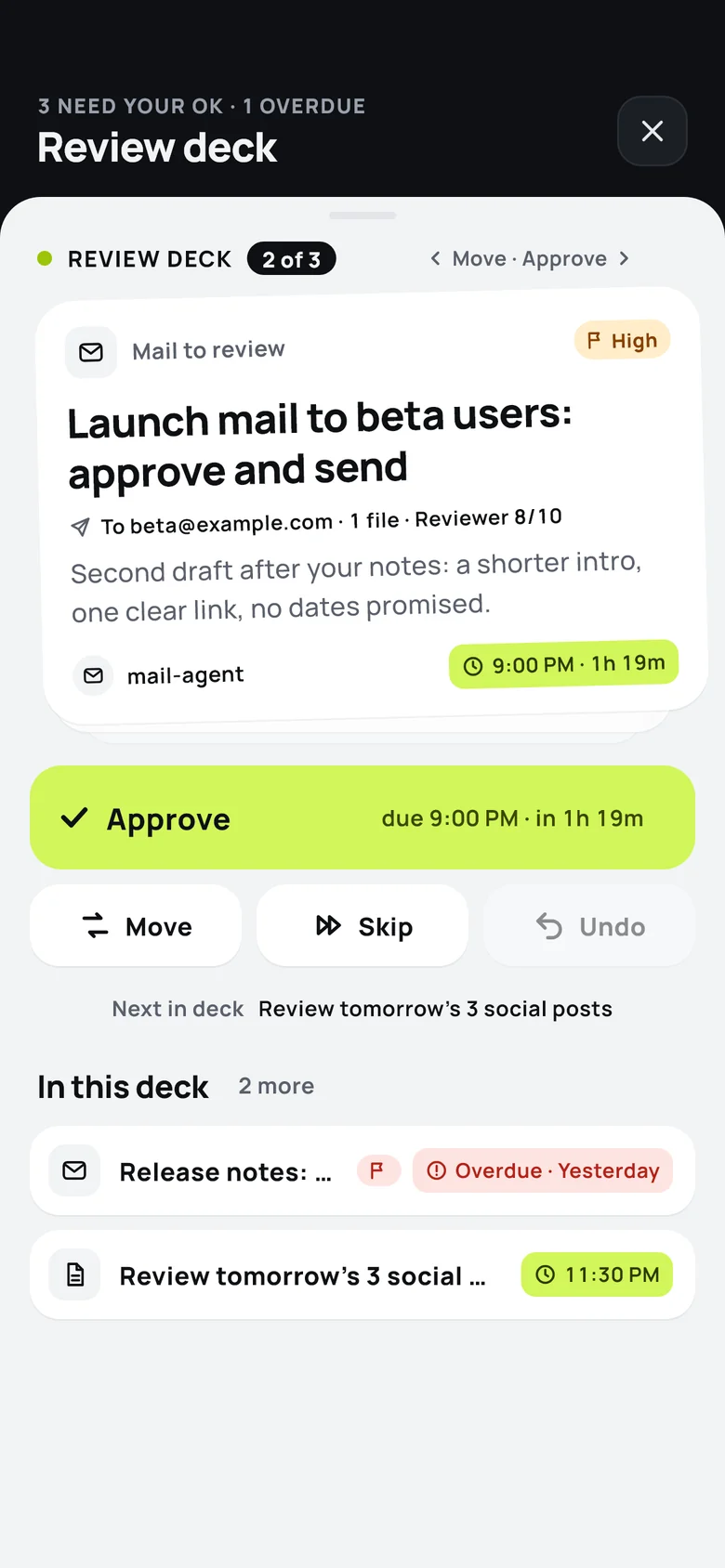
The review deck: a card to approve, with Move, Undo and Approve, and the rest of the deck below.

Pinned notes

A sticky note for your Claude. It shows when Claude picked it up and what it said since.

The chat bubble

Talk to your Claude from any screen. It floats, snaps to a side and stays out of the way.

History you can rewind

Every change keeps its before and after, with who made it and why. Undo one step, or restore to any point. A revert can be reverted too.

Board, list and calendar

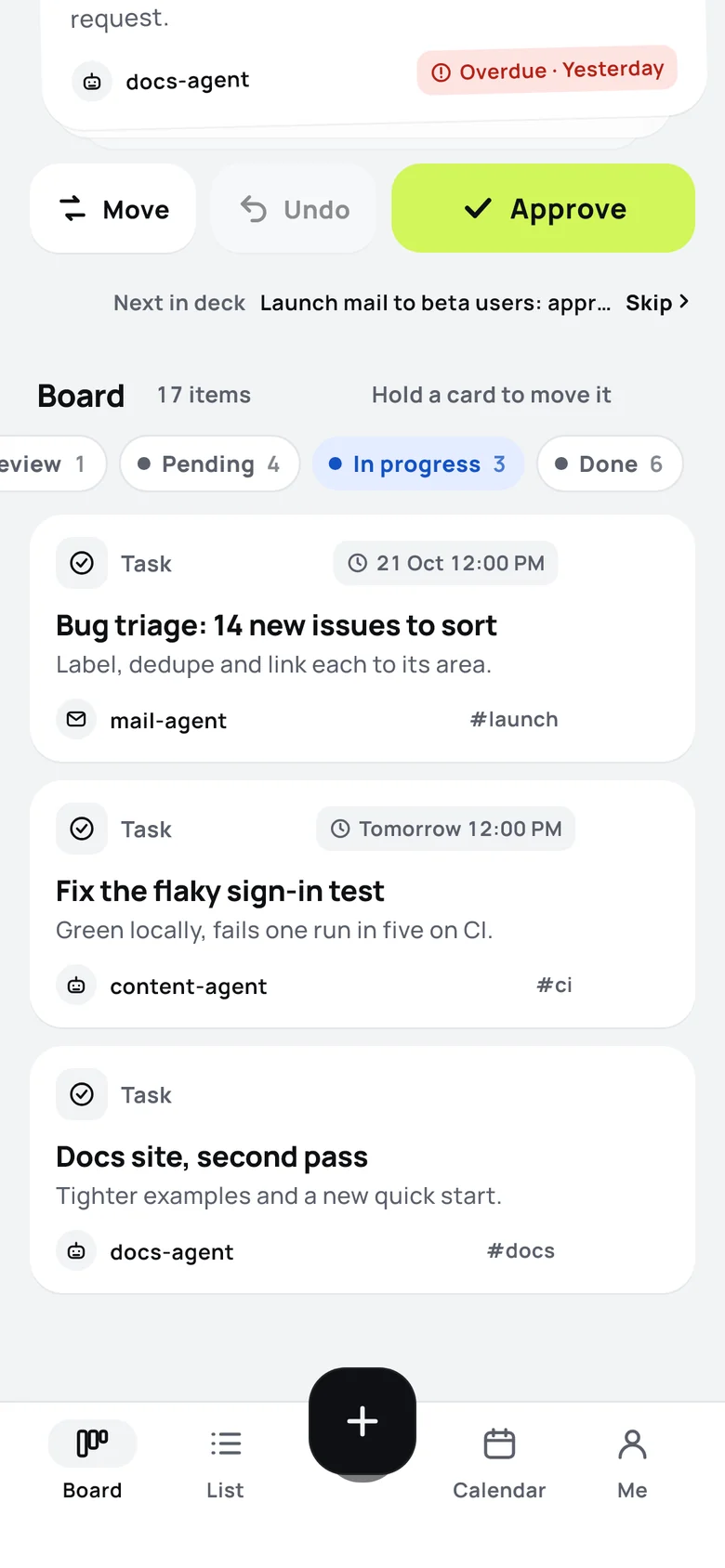
The same work, three ways: lanes by status, a searchable list, and a month view for calls, meetings and due dates.
Light and dark

A graphite header on every tab, light or dark sheets below. Lime only where your attention is needed.
How it works

Three steps, then it just runs.

Get the app

Homingo Ops for iOS and Android. Sign in and your private space is ready, with its own token for your Claude.

Internal testing · coming soon

Connect your Claude

One line where your Claude runs, or add the Ops connector in claude.ai.

npx -y homingo-ops connect <token>Helper coming soon

Pin, glance, approve

Pin what you want done. Your Claude picks it up and reports back. You review what needs you, and the rest simply gets done.

Read the setup guide

Your Claude, your tools

We keep the board. Your Claude does the work.

Ops never runs your tasks on our machines. Notes and updates pass through; the work happens where your Claude already lives.

Store and relay only

Our servers keep your board and carry messages between your phone and your Claude. That is all they do.

Your tools, your accounts

Your Claude works with what you already gave it. Ops doesn't need them.

A private space

Your own space and your own token. Nobody sees anyone else's notes. Revoke a token any time.

Approving stays with you

Claude drafts and updates. The OK is yours, and every change can be undone.

FAQ

Good questions.

Anything else? Write to official@homingo.co.in.

Does Homingo Ops run an AI model?
No. Ops is the board and the relay. The thinking and the work happen in your own Claude, with your own tools and accounts. Our servers store your board and pass notes and updates between your phone and your Claude.
Which Claude does it work with?
Claude Code on your PC, a VM or a server, which watches your board and picks up what you pin. And claude.ai, through the Homingo Ops connector, while you chat. The setup guide shows both.
Can anyone else see my notes?
No. Each person has a private space and their own token. Nobody sees anyone else's notes. A token is shown once, and you can revoke it from the app whenever you like.
Can Claude approve or send things on its own?
Approving stays with you. Claude can read your items, add and update them and put drafts in your review deck; the OK comes from you, in the app.
What if Claude gets something wrong?
Ask for an edit with a note, and it goes back to your Claude. Every change keeps its before and after values, so you can undo one step or restore an item to any point in its history.
When can I get it?
Homingo Ops is in internal testing on iOS and Android. It isn't on the App Store or Google Play yet. Join the early list and we will write when it opens.
Who makes Homingo Ops?
Homingo (homingo.co.in). Write to us at official@homingo.co.in.

Ops is in internal testing. Be first when it opens.

Tell us where your Claude runs and we will write to you when Homingo Ops is ready for you.

App StoreComing soonGoogle PlayComing soon