Setup guide

Connect your Claude.

Ops is the board; your Claude does the work. Connect it once, in one of two ways: Claude Code where it runs (your PC, a VM or a server), or the connector in claude.ai while you chat. You can use both.

Helper coming soon

Claude Code, as a watcher

For a Claude that keeps an eye on your board, picks up what you pin and posts updates while you are away.

  1. In the Ops app, open Me, then Connect Claude, and create a token. It is shown once; keep it like a password.
  2. On the machine where Claude Code runs, paste one line: npx -y homingo-ops connect <token>
  3. Pin a note in the app. Your Claude picks it up, says so on the card, and reports back on your board.

The helper isn't published yet. Until it is, the Connect Claude screen in the app gives you the exact lines to paste for your setup.
OAuth · works while chatting

claude.ai connector

For asking Claude about your board, adding items or drafting for review in the middle of a conversation.

  1. In claude.ai, open Settings, then Connectors, and add a custom connector with this URL: https://api.homingo.co.in/ops/mcp
  2. claude.ai sends you to the Homingo Ops consent page. It lists what Claude can and can't do. Sign in to allow it.
  3. You land back in claude.ai, connected. Disconnect any time.
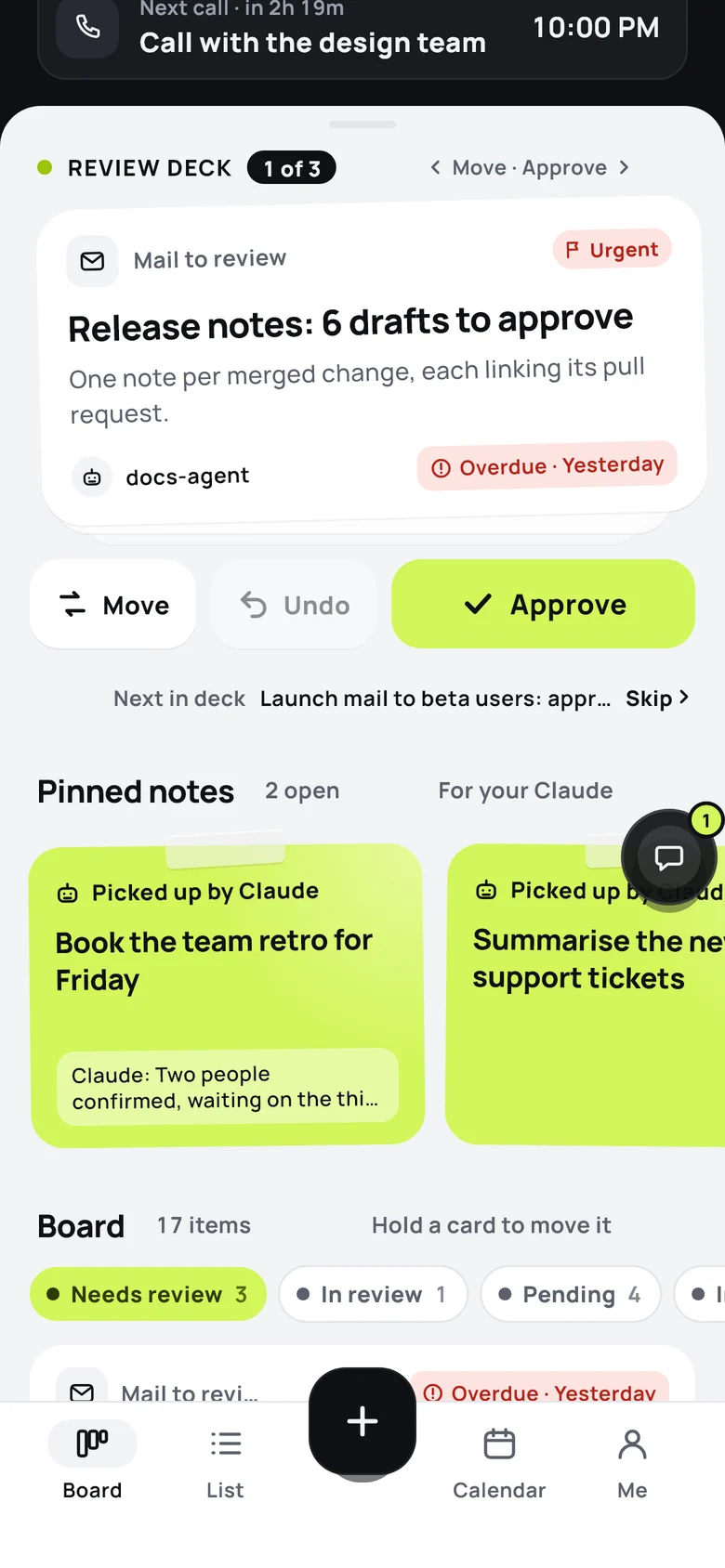
Pinned notes on the Ops board, marked 'Picked up by Claude', with Claude's update on one of them.
What Claude can do

It works on your board. The OK stays yours.

  • Can: Read your Ops items, mails waiting for review, and their history
  • Can: Add and update tasks, calls, meetings, decisions and notes
  • Can: Add drafts to your review deck, where they wait for your OK
  • Can: Revert changes; every change is kept, so a revert can be undone too
  • Cannot: Approve or send anything: approving stays in your Ops app, with you

Your Claude keeps using your own tools and accounts. Ops stores your board and relays notes; it runs no AI of its own. Stuck? Write to official@homingo.co.in.